
A clean gaming setup looks sharp, runs better, and makes every session more enjoyable. But even a spotless desk can hide a problem if pests find their way into your space. Consoles, PCs, controllers, cables, and headsets create warm, sheltered spots that attract unwanted guests, especially when snacks, dust, and clutter sit nearby. These are the top pests you need to look out for because they can wreak havoc on your gaming equipment.
Roaches Love Warm Electronics
Cockroaches can squeeze into tiny openings, making gaming consoles and desktop towers easy targets. They prefer warmth, darkness, and tight spaces, so vents and internal compartments provide exactly what they want.
Once inside, roaches can leave droppings, shed skins, and debris near sensitive components. That buildup can block airflow, create unpleasant odors, and shorten your equipment’s lifespan. Keep food away from your setup, wipe surfaces regularly, and vacuum around cords to make the area less inviting.
Rodents Chew Through Cables
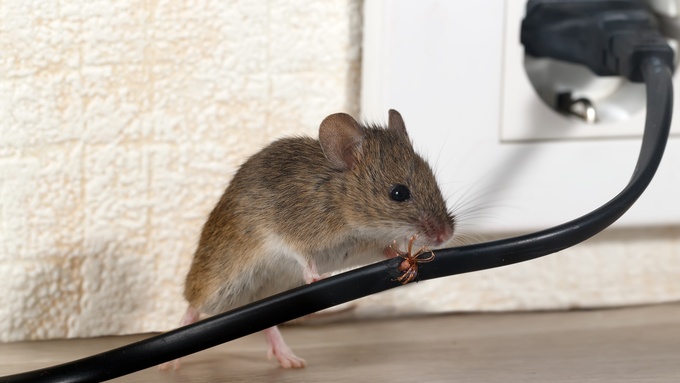
Mice and rats can cause serious damage quickly. They chew because their teeth keep growing, and cables are an easy target. A damaged power cord, HDMI cable, or Ethernet line can interrupt gameplay, create connection issues, or raise fire risks.
Rodents may move indoors during the colder months or after nearby construction disturbs their outdoor hiding places. Check behind entertainment centers, desks, and storage bins for droppings, shredded paper, or gnaw marks. Store extra cables in sealed containers and keep the floor around your gaming area clear.
Ants Follow Food Trails
Ants usually show up for crumbs, sugary drinks, and sticky residue. A small spill near a keyboard or controller can draw a steady line of them before you notice the problem.
They can crawl under keycaps, into charging docks, and around headset stands. Clean spills immediately, wash your hands before using controllers, and avoid leaving snack wrappers near your setup. Small habits can protect expensive gear from a frustrating infestation.
Spiders Signal Other Pest Problems
Spiders don’t usually damage gaming equipment, but their presence can signal a bigger issue. If they keep appearing near your desk or media center, they may be following insects that already live nearby.
Webbing can collect dust around vents, fans, and cable clusters. That extra dust can make your gear run hotter. Remove webbing, reduce clutter, and look for the insects that may attract spiders in the first place.
Dust Mites and Carpet Pests Add Grime
Tiny pests can contribute to dust, lint, and debris around your equipment. Carpet beetles, fleas, and mites may not attack your console directly, but they can thrive in nearby rugs, upholstered chairs, blankets, and pet beds.
Wash blankets, vacuum carpets, and clean gaming chairs regularly. Pay attention to rooms where pets spend time, since fur and dander can accumulate around electronics and vents.
Protect Your Setup
Your gaming equipment deserves more than a quick wipe now and then. Keep food away, manage cords, clean vents, and inspect hidden spaces behind your desk or console stand to stop pests that can wreak havoc on your gaming equipment. When you catch pest activity early, you protect your gear, your comfort, and every future gaming session.
Leave a Reply