
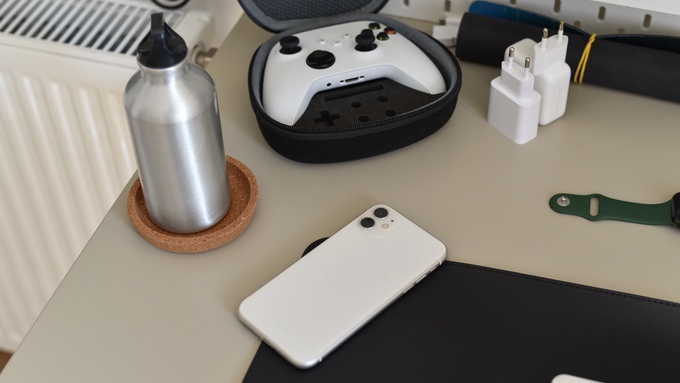
Sometimes gamers who work from home with minimal space need a desk that can support work and play. The setup should feel focused during the day and fun after hours.
If you’re splitting your desk between work and gaming, here’s how to create an optimal setup. A good layout keeps important gear easy to reach. It also limits clutter so the desk can switch roles without a full reset.
Start With the Right Desk Layout
A shared setup works best with a clear center zone. Place the monitor at eye level and keep the keyboard directly in front of the chair. Choose a desk depth that fits the monitor and keyboard without crowding the wrists. A deeper desk also helps speakers and small decor stay out of the main work area.
Leave open space on at least one side for notes or work accessories. This gives the desk room to support tasks that do not involve a screen.
Pick Gear That Works for Both Modes
The best gear can handle meetings and gaming matches without feeling out of place. Clean designs usually work better than loud designs for a shared space.
Look for items that serve more than one purpose:
- A quality headset with a removable mic
- A monitor arm that frees desk space
- A keyboard with quiet switches
- A mouse with adjustable DPI
- A desk mat that supports work and gaming
Small upgrades can make a big difference. A headphone hook and controller stand can also keep daily gear off the surface.
Use Lighting With Purpose
Lighting affects focus and comfort. A small desk lamp helps with notes and reading during work sessions. Ambient lighting can add gaming style without taking over the space. LED strips behind the monitor can reduce glare and create a softer screen area.
Avoid lights that shine directly into the eyes. Bright colors can look great for gaming but may distract you from work.
Add Decor Without Losing Space
Personal items help the desk feel inviting. Still, too many items can crowd the keyboard and mouse area.
Choose a few small pieces that fit the room and hobbies. A figure, framed print, or small plant can add character without blocking gear. Following these tips to decorate your desk for work with gaming-related accessories and more adds personality while keeping the surface useful.
Keep Comfort in the Setup
Comfort matters for long workdays and gaming sessions. A chair with good support should match the desk height. Wrists should stay relaxed while typing and gaming. Add a wrist rest or adjust the chair if the arms feel strained.
Build A Reset Routine
A shared desk works better with a quick reset habit. Put controllers, notebooks, cups, and chargers back in place at the end of each session. This routine keeps the setup ready for work the next day. It also makes gaming time feel easier to start.
With the right layout, the same desk can support gaming and work. The goal is a space that feels organized every time your chair rolls in.
Leave a Reply