
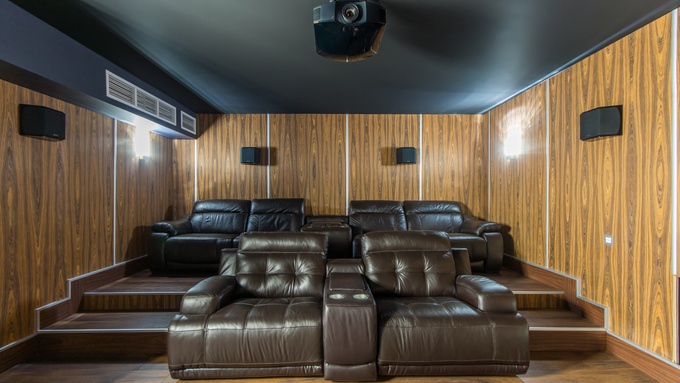
If your home theater audio isn’t clear or balanced, refining your acoustics can make a big difference. Issues like muddy dialogue or overpowering bass are common, but can often be fixed with simple adjustments. Here’s how to improve your home theater sound without needing advanced technical knowledge.
Tame the Hard Surfaces
Hard surfaces like bare floors, windows, and drywall cause sound waves to bounce around your room. This creates echoes and phase issues, similar to a pinball effect. To fix this and improve your sound quality, you need to add acoustic absorption to soak up those reflections.
Place a thick, fluffy rug between your speakers and where you usually sit to listen. Hang heavy curtains over any windows to reduce sound reflections. Adding comfy, upholstered furniture can also help absorb echoes. These tweaks will give you a more balanced sound.
Check Your Speaker Angles
Positioning matters more than raw power. Ideally, your front left and right speakers should form an equilateral triangle with your head. If they face straight forward, you lose detail.
Angle the speakers inward, pointing directly at your ears. This creates a “phantom center” image where vocals sound distinct and focused. It costs nothing to move them, but the result is huge.
Manage Early Reflections
Sound bounces from the side walls before reaching your ears, which muddies the clarity. Treating these “first reflection points” with acoustic panels helps immensely. You want the sound to reach you directly.
If you’re still in the construction phase, getting the physical space and layout right makes acoustic treatment much easier later. This is a foundational step in designing a home theater that’ll get you the best sound quality.
Trap the Bass
Low frequencies tend to gather in corners. This causes “boomy” bass that drowns out the rest of the mix. You want the rumble to feel tight, not overwhelming.
Bass traps are dense foam wedges that fit into corners to clean up the low end effectively. You’ll feel the punch of an explosion without it muddying up the dialogue.
Run the Calibration
Don’t ignore the microphone that came with your receiver. Run the auto-calibration setup found in the menu. It measures distance and volume levels for each speaker in your room.
It isn’t always perfect, but it gets you most of the way there. Think of it as a solid baseline before you start tweaking settings manually.
Improving your setup takes a little trial and error, but the result is an immersive experience that rivals the local cinema. When you improve the acoustics in your home theater, every movie night becomes an event. How will you take it to the next level?
Leave a Reply